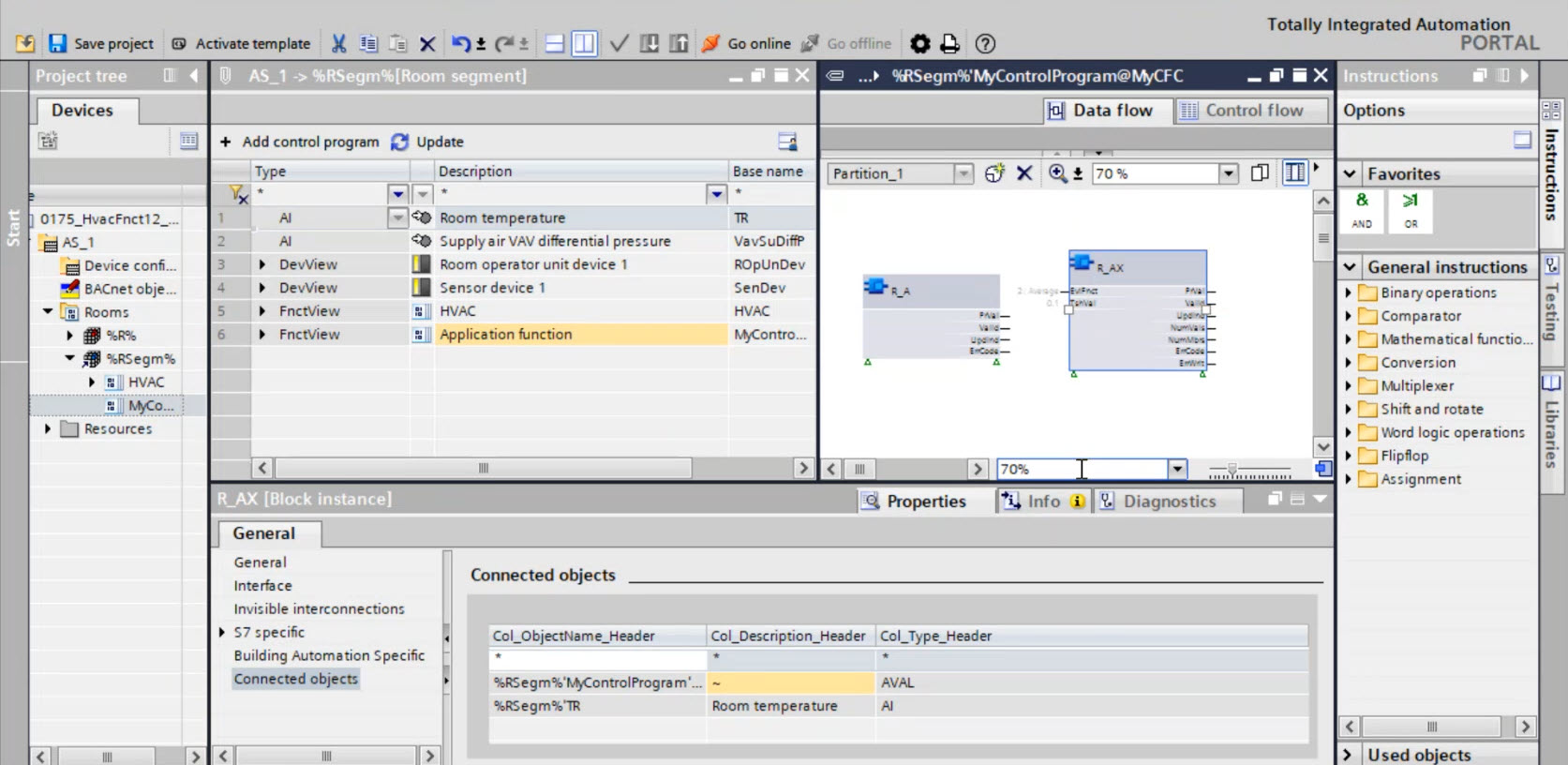
Assignment of BA objects to xFB in the Room programming editor
- A building structure is defined.
Defining a building structure - There is at least one application template in your project or in your library available for selection. If there is no application template available, click Add application template in Building > Building structure.
Adding project-specific application templates - Room automation stations are defined.
Adding devices
- Go to Building > Building structure.
- Select a room automation station.
- Right-click and select Go to configuration.
- Open the Duplicating and programming task.
- The Room programming editor opens.