Working with BACnet/SC certificates
There are 6 scenarios that require renewing operational certificates. Follow the procedure for renewing operational certificates for any of the cases listed below.
- Operational certificate is expired.
- Root certificate is expired or must be renewed by a request to IT.
- Routine periodic renewal of the operational certificate.
- Changes in the PKI settings of a project.
- Device name, ID or IP address has changed.
- Operational certificate has been compromised.
Working with BACnet/SC root certificates
Working with ABT Site BACnet/SC operational certificates
External BACnet/SC certificates with external CA
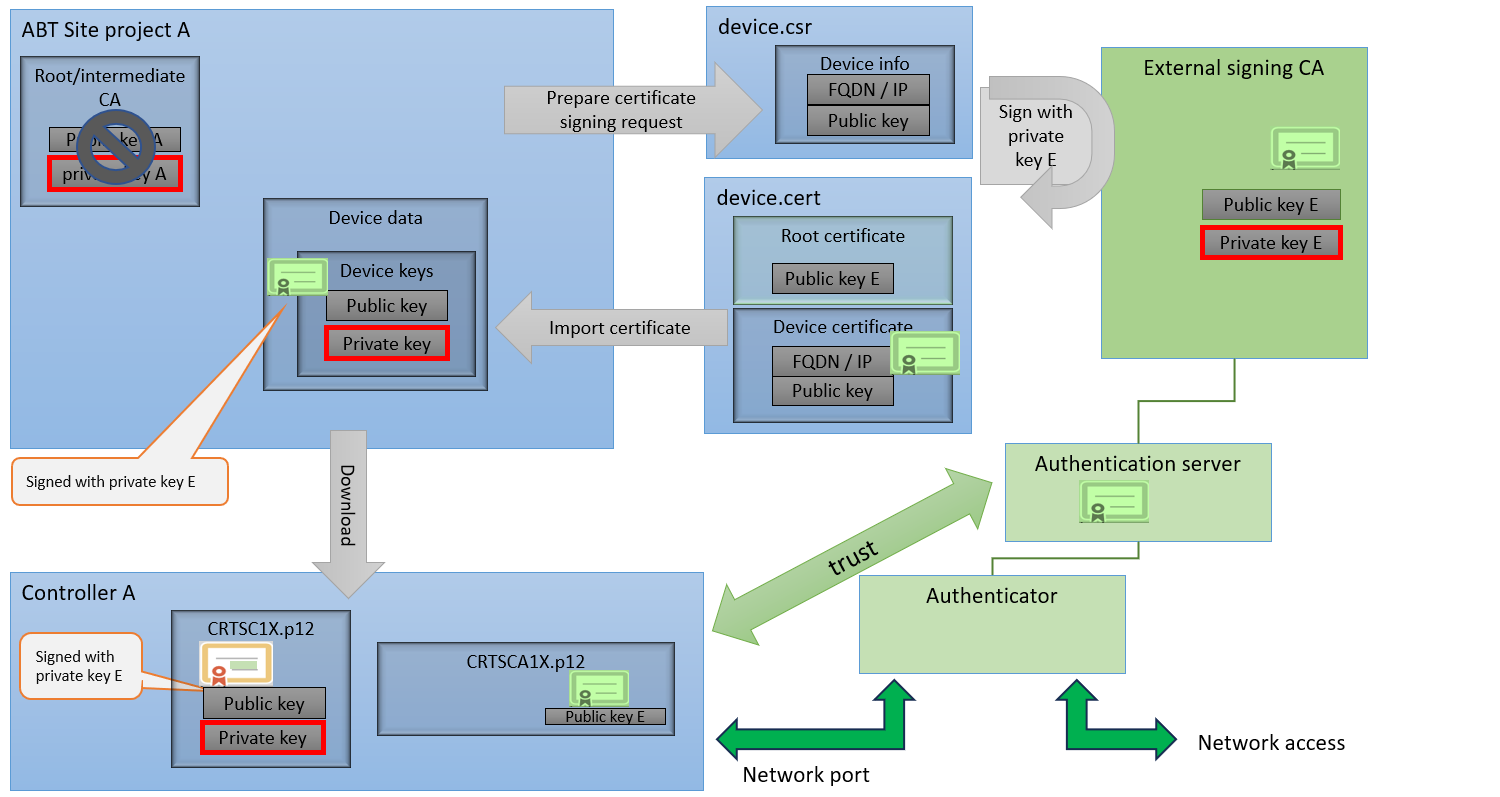
ABT Site creates an individual device certificate signing request for each device. It must be signed by some external CA and deemed trustworthy by the authentication server. Signed certificates are imported back into ABT Site, and loaded to each device afterwards.

This solution has higher engineering effort, but may be deemed more trustworthy by a customer’s IT department.
| Siemens tasks | Customer tasks |
|---|---|---|
1 |
| |
2 |
| |
3 | Defining the BACnet/SC project properties for the root certificate |
|
4 | Setting the certificate authority to External. |
|
5 | Exporting a BACnet/SC operational certificate signing request for each device. |
|
6 |
| Signing each operational certificate by external signing certification authority. |
7 |
| Sending the signed operational certificate back to Siemens. |
8 | Importing a BACnet/SC operational certificate from an external CA for each device. |
|
9 | Downloading the control program with a full download to each device. |
|
10 | Testing the BACnet/SC certificate management together with the customer’s IT department. | |
Basis workflow for intermediate BACnet/SC certificates with external CA
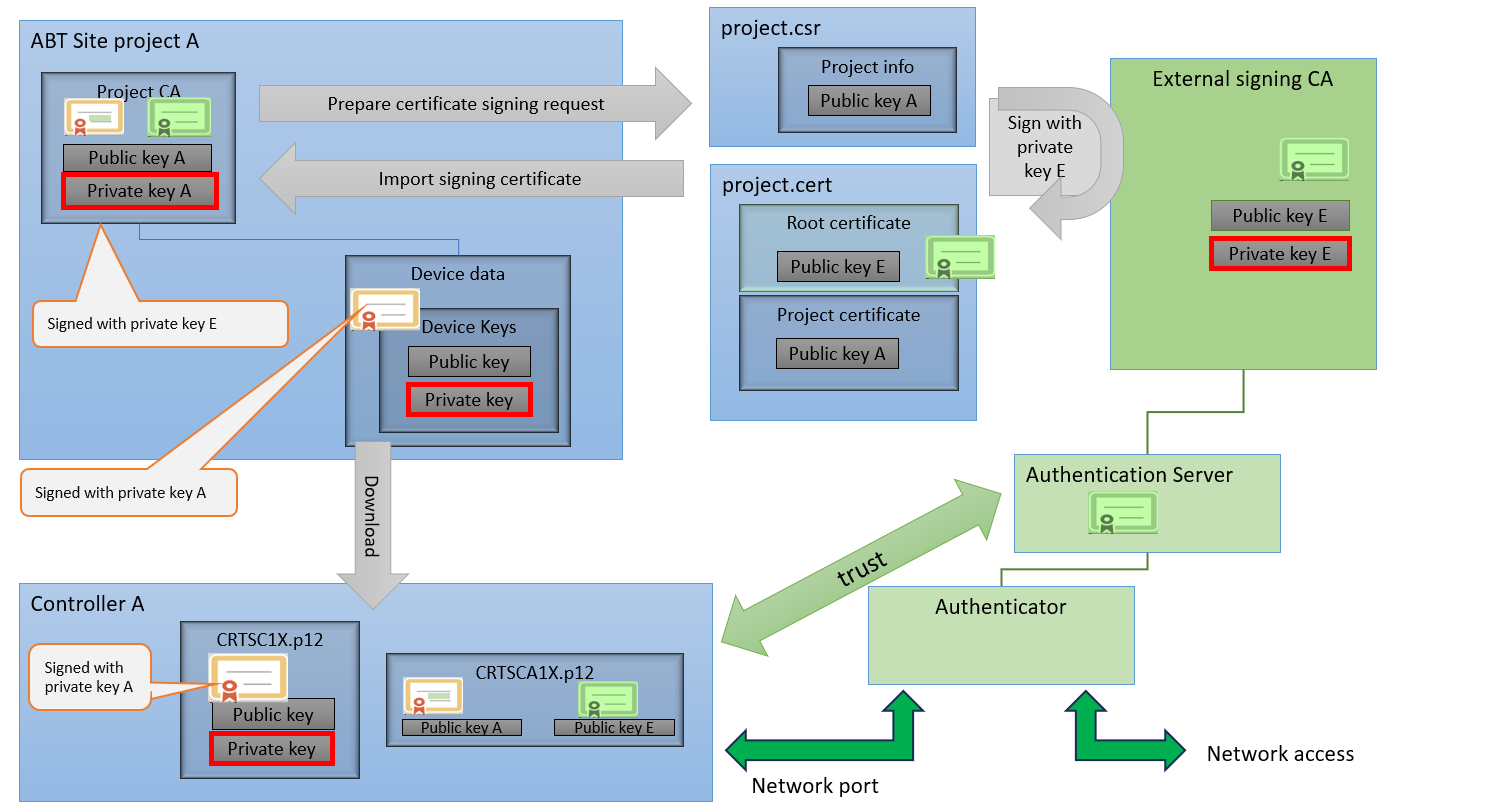
ABT Site exports a certificate signing request for its project root signing key. It must be signed by an external CA and deemed trustworthy by the authentication server. The signed certificate is imported back to ABT Site. ABT Site creates an individual device certificate for each device, signed with its project key. That project signing certificate is now no longer a trusted root, but part of a longer trust chain.
You can transition from ABT Site as CA to an intermediate solution with an external CA at a later date as needed. The ABT Site root certificate then trusts the external signed certificate to complete the trust chain. Devices need not be reloaded in this case.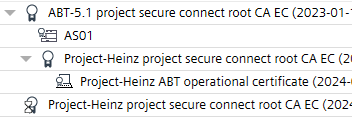
| Siemens tasks | Customer tasks |
|---|---|---|
1 |
| |
2 |
| |
3 | Defining the BACnet/SC project properties for the root certificate. |
|
4 | Setting the certificate authority to Internal. |
|
5 | Exporting the certificate signing request for the intermitted root certificate. |
|
6 |
| Signing the intermitted root certificate by external signing certification authority. |
7 |
| Sending the signed intermitted root certificate back to Siemens. |
8 | Importing the intermitted certificate signing request for the root certificate. |
|
9 | Downloading the control program with a full download to each device. |
|
10 | Testing the BACnet/SC certificate management together with the customer’s IT department. | |
Further information
- Defining the BACnet/SC project properties for the root certificate
- Exporting the BACnet/SC root certificate
- Renewing BACnet/SC internal operational certificate
- Exporting a BACnet/SC operational certificate signing request
- Importing a BACnet/SC operational certificate from an external CA
- Creating a BACnet/SC certificate report