Configuring list of object property references within a scheduler object
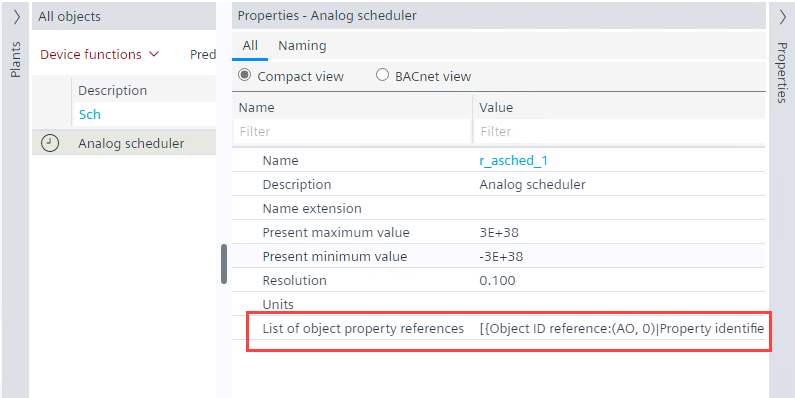
Add external references to the scheduler objects which are created in FPE. The List of object property references property is available in the Properties tab in ABT Site editor.
- Add a scheduler object in the Field Programming Editor (FPE). See Add a scheduler to the Programming editor.
- Go to Building > Building structure.
- Right-click the automation station and select Go to engineering.
- Open the BACnet objects task.
- Select the any scheduler object from the BACnet objects list.
- Open the Properties tab.
- Select the BACnet view tab.
- Click List of object property references property in the Properties tab.
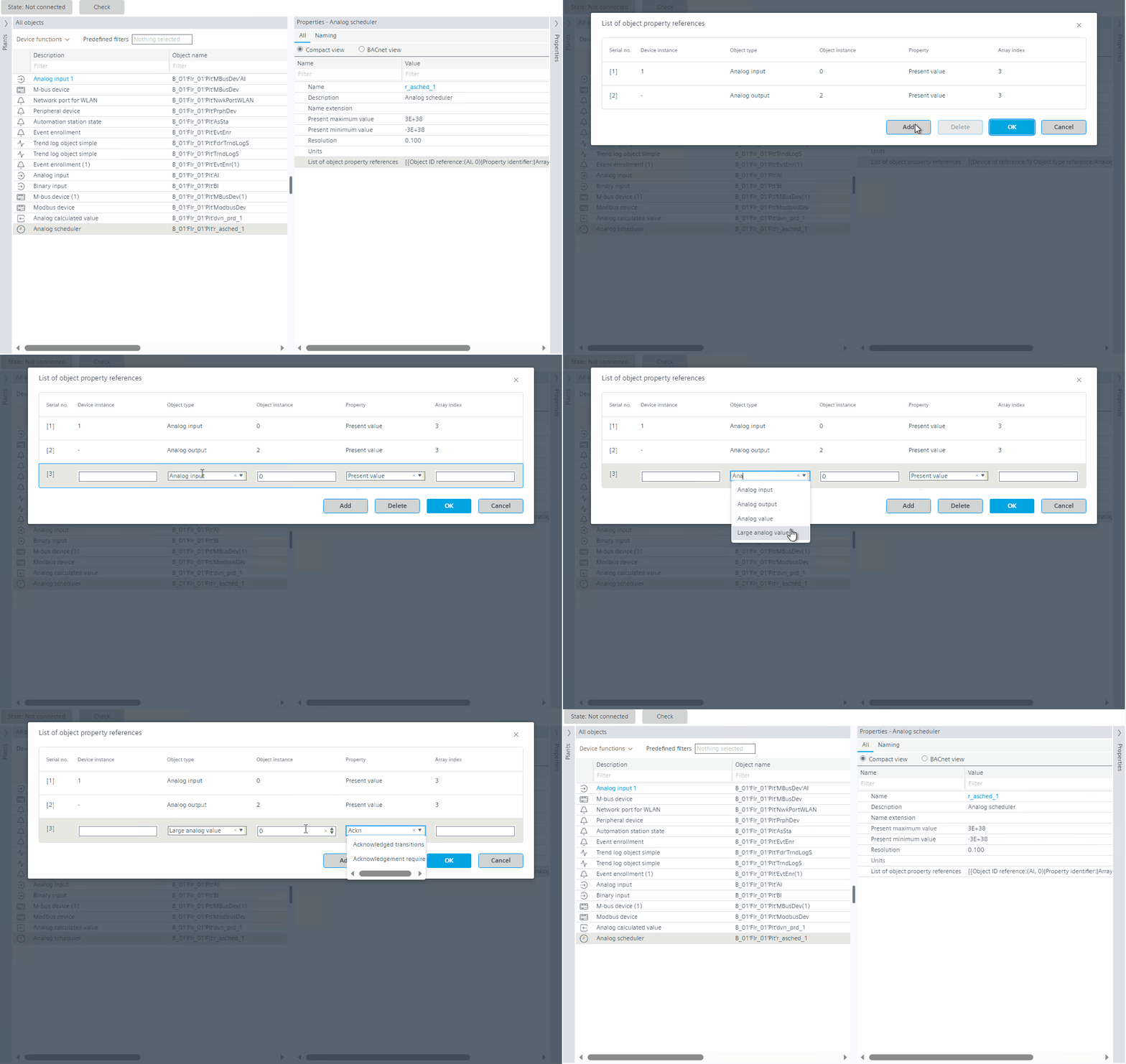
- The List of object property references dialog box opens.
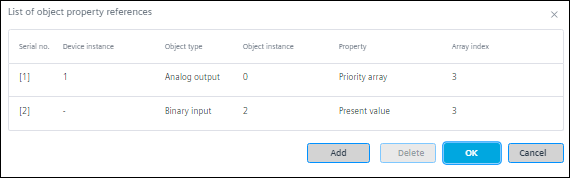
- Click Add.
- Enter the required values in Device instance, Object instance, and Array index fields respectively.
- Select Object type and Property from the drop-down list, or, type the description or number in the Object type and Property. See Hybrid control.
- The results are displayed accordingly, then click the required value.
NOTE: These properties are from the respective device/controller used.
NOTE: Validation of Device instance, Object instance, Object type, and Property is done by the firmware.
NOTE: The Object type should be same as the scheduler type object, else the object will not be available in the online mode. 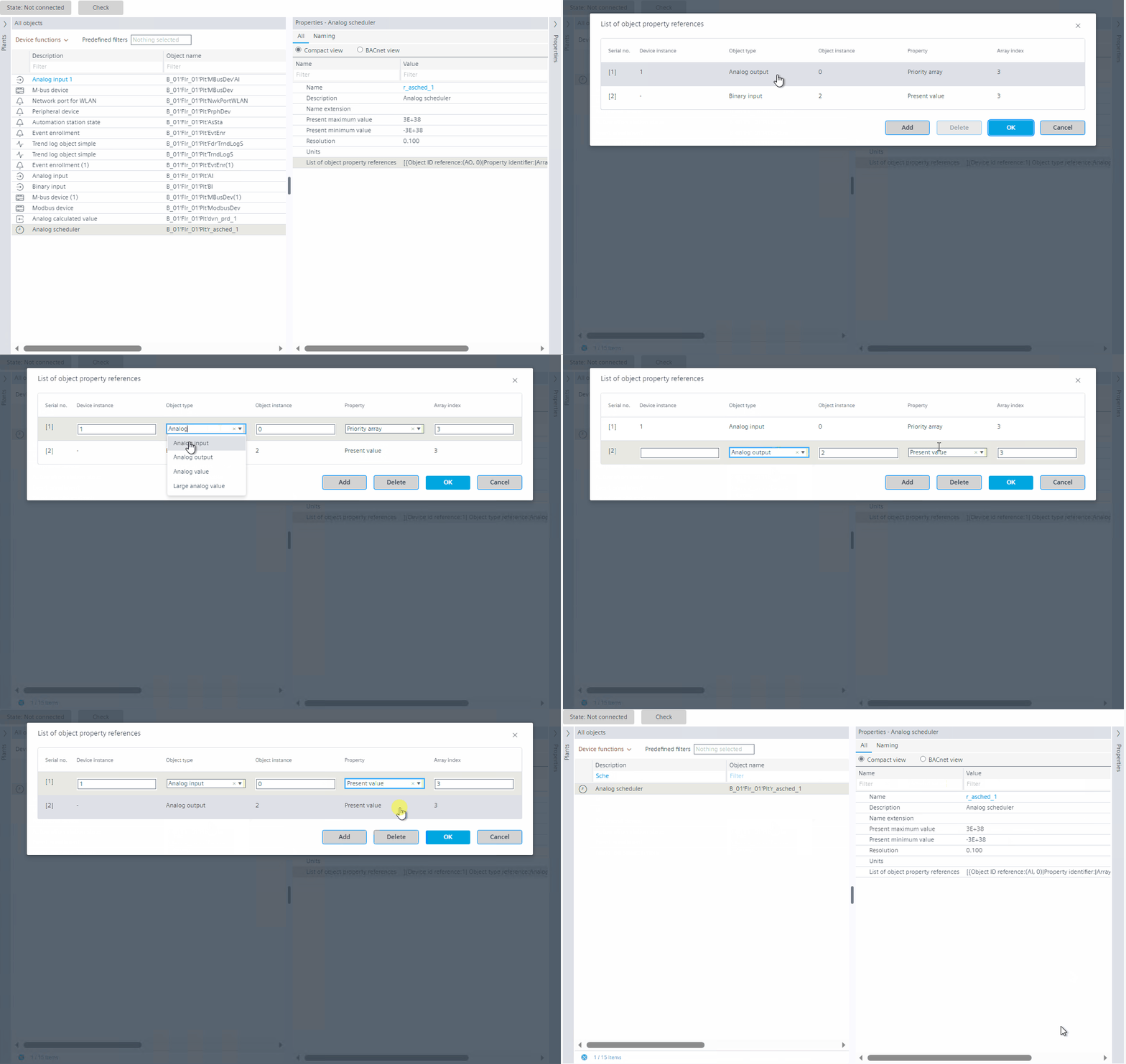
- To add more object property references, repeat step 8 and 9.
- Click Ok.
- To delete an existing object property reference, select the property, click Delete, and click Ok.
- You have added object property references to scheduler objects.
Hybrid control
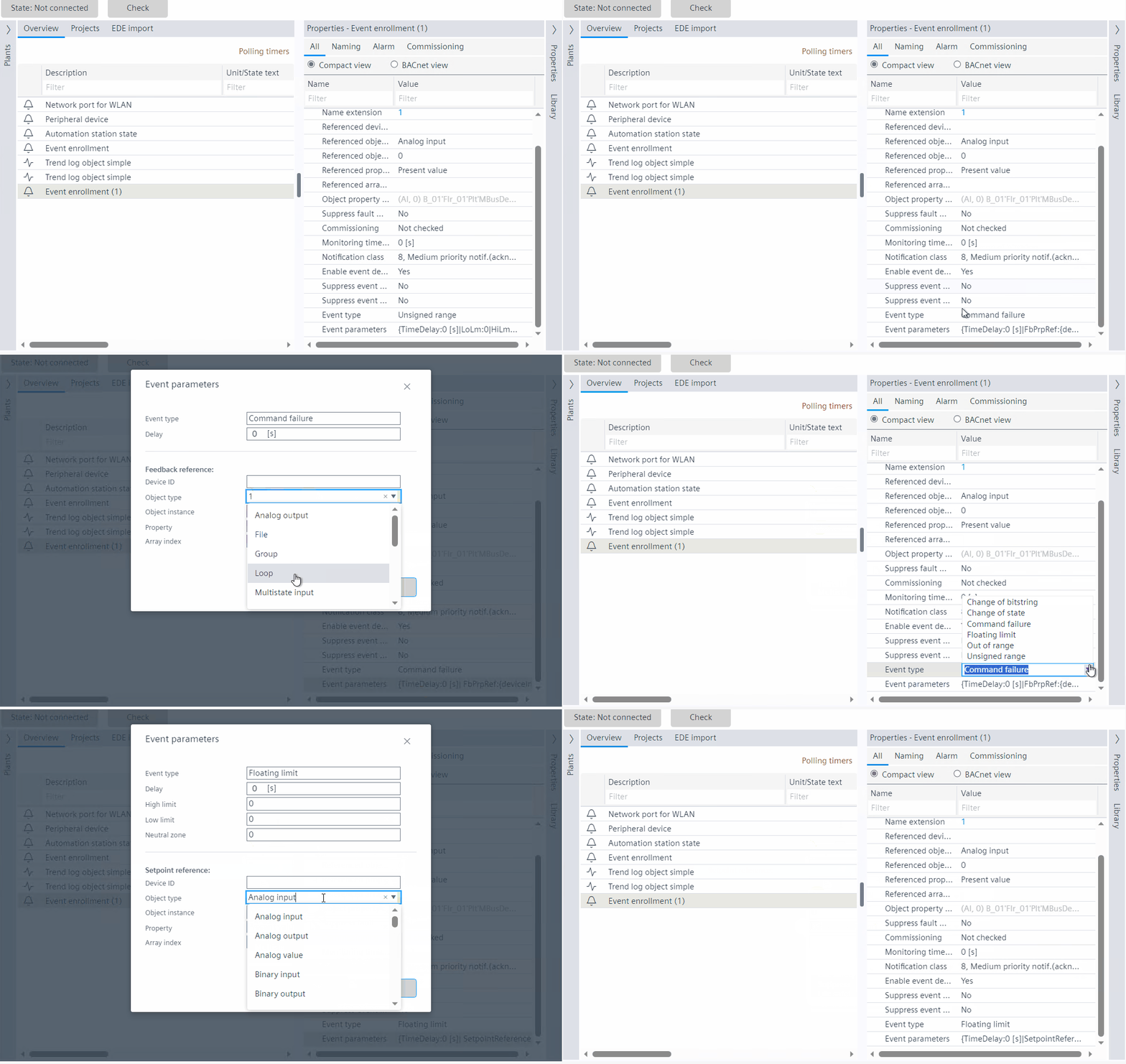
Hybrid control is a functionality where the user is able to select a value from the drop-down list by entering the description or ID/number. This is applicable for the Event enrollment object - Floating limit and Command failure event types; and Scheduler objects.
See Configuring list of object property references within a scheduler object and Configuring event enrollment objects.
Case 1: Enter the description
Taking an example from scheduler object configuration.

This is applicable only for Floating limit and Command failure event types; and scheduler reference object type.
Case 2: Enter the ID/number
Taking an example from event enrollment configuration.
This is applicable only for Floating limit and Command failure event types; and scheduler reference object type.