Flexible use of Ethernet ports
PXC5.E24 and PXC7 devices support the flexible use of the Ethernet ports with the addition of the WAN port (enable/disable) starting in device version 1.6. This enlargers the number of topologies available in the Desigo system. The enable/disable of the WAN port permits operators to separate secure and unsecure networks. To this end, each port receives a own MAC address.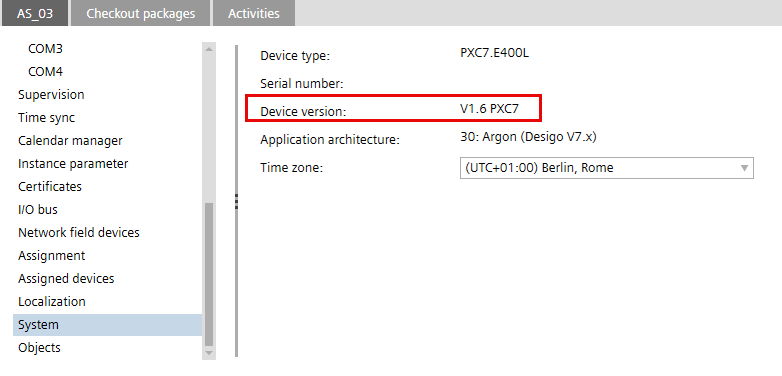
Overview of topologies in the Desigo system

Currently, only 0-2 are supported in 1.6. The other scenarios are planned for future versions.
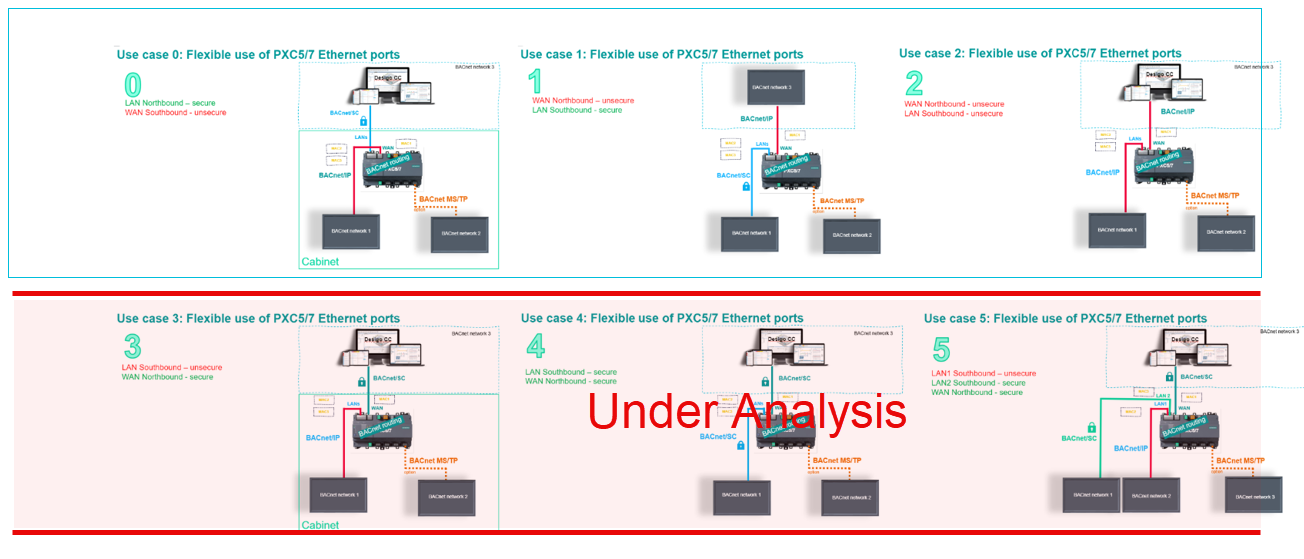
Activating the WAN port permits the operation of two independent IP networks and separates BACnet traffic from LANs and WAN. It also means that separate secure or unsecure networks can be operated in Desigo.
NOTICE

WAN port does not support BACnet/SC connections
Use a LAN port to operate BACnet/SC. The WAN port does not support BACnet/SC and risks exposing the LAN port as unsecure (since BACnet/IP is not a secure protocol).
Depending on your scenario, when using the Northbound and Southbound terminology, it may mean that the Southbound interface can correspond to the WAN port(without BACnet/SC support), while the Northbound interface can correspond to the LAN port.
PXC5.E24 technical and mechanical design
PXC7 technical and mechanical design
Migration advantage
You can connect existing devices, for example, PCX100, operated on a unsecure network to a PCX5/7. The new devices communicate in turn via a secure network connection.
Scenario 0: Two BACnet networks on different Ethernet ports
Separate MAC addresses for each port
MAC addresses are assigned at the factory and only apply to new devices.
- 2 LAN ports, 1 WLAN port = 3 MAC addresses for the device types:
- PXC4.E16-2, PXC4.E16S-2
- PXC5.E003
- 2 LAN ports, 1 WAN port, 1 WLAN port = 4 MAC addresses for the device types:
- PXC7.E400x
- PXC5.E24
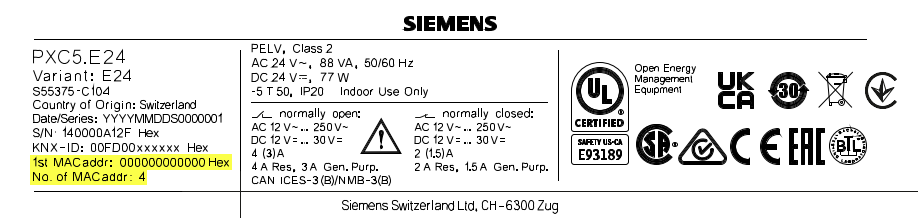
The device displays one MAC address with a QR code; the other MAC addresses are calculated by +1 (Hex).
Port | Device with 3 ports | Device with 4 ports |
|---|---|---|
LAN 1 | MAC 1 (QR-Code) | MAC 1 (QR-Code) |
LAN 2 | MAC 2 | MAC 2 |
WAN |
| MAC 3 |
WLAN | MAC 3 | MAC 4 |