Changing application parameters
You can change application parameters starting from Building > Application & device overview.
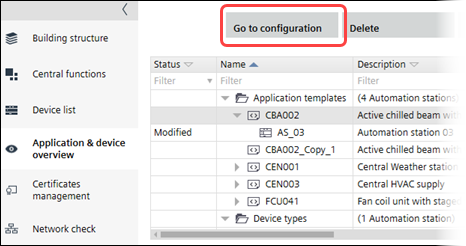
Change application parameters
- Select an application template.
- Click Building > Application & device overview > Go to configuration.
- Configuration > Application configuration opens.
- Complete the application configuration.
Configuring features (template) - Select the Default values task.
Default values - Click Show/hide parameter.
- The Show/hide parameter dialog box opens where you can configure properties and default values.
Show/hide parameter (dialog box) - Click OK.
- Select the I/O assignment task and assign I/O's according to the specifications of your project.
Assigning I/O's (template)
- You have changed the parameters of the selected application template.

Changing an application template does not augment the application template version number. The value in the Version column is managed by the user.
Modifying template properties